Comparative review of dictionaries for English learners
Introduction
Few teachers will explain a word to you like a good learner’s dictionary. A dictionary can give you a clear definition, comprehensive information on pronunciation, and – most importantly – carefully chosen examples that show you how to use the word.
Which dictionaries are best for serious English learners in 2009? Certainly we should be thinking of digital dictionaries. In an age of ubiquitous laptops and netbooks, book dictionaries are clearly a thing of the past – quaint relics used exclusively by elderly ladies who go by the title of “Senior English Instructor”. Their sheer weight (the dictionaries’, not the elderly ladies’) and the time it takes to look up a word mean that there is absolutely no reason for a serious English learner to use one.
What about online dictionaries? They’re free, there’s a lot of them, and the growing availability of wireless Internet connections makes them more and more accessible. Might they be a viable option? Let’s see:
- Publishers make money on books and CDs, so their online dictionaries are always limited in some way. Typical limitations are: lack of recorded pronunciations (Longman, Oxford, Cambridge), missing phonetic transcriptions (Longman), smaller number of example sentences (Longman).
- A Web dictionary is slower to use than a dictionary that’s installed on your computer. It’s not just about the page loading time and server problems; often, the interface requires more looking around and clicking. When you look up dozens of words every day (and you should), it can really hurt your motivation if your dictionary slows you down.
Therefore, my opinion is that Web dictionaries are a useful resource when you want to get some extra information about a word (e.g. get some more examples, double-check the pronunciation), but for serious everyday work, you can’t beat a software dictionary. It just makes no sense to slow your progress in order to save $30.
That is why this review will focus on the currently available English dictionaries for advanced learners available on CD/DVD.
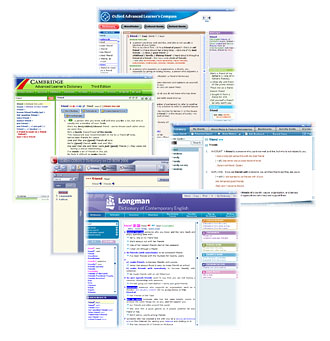
The dictionaries
- Cambridge Advanced Learner’s Dictionary (3rd edition, 2008)
- Collins COBUILD Advanced Learner’s English Dictionary (5th edition, 2006)
- Collins COBUILD Advanced Dictionary (6th edition, 2009)
- Longman Dictionary of Contemporary English (LDOCE) (5th edition, 2009)
- Oxford Advanced Learner’s Dictionary (OALD) (7th edition, 2005)
I was wondering whether I should include the 5th edition of the Collins COBUILD Dictionary in this review. In the end I decided to do so, because it is much better than the current edition and it is still available in at least one online store (and will most likely continue to be available until the end of 2009).
Review criteria
I looked at the following features in all the dictionaries:
- Number and quality of example sentences. I believe example sentences are the most important feature of a dictionary. Looking at example sentences is the fastest way to figure out the answers to three critical questions: 1 What does this word mean? 2 In what situations do native speakers use this word? 3 What words and grammatical patterns typically appear with this word? Examples also give you ready-made phrases that you can “steal” and use in your own sentences.
- Number and quality of definitions. In a learner’s dictionary, definitions should tell the learner about the most common situations and contexts in which a word is used. If 90% of the sentences with the verb wag are about tails, the definition should mention tails, even if sometimes the word is used in other ways. Such a definition is easier to understand and more useful than a more general, abstract one.
- Accuracy and completeness of phonetic transcriptions. Dictionaries should list all the common pronunciations of a word in both British English (RP) and American English (General American).
- Coverage of American English. A learner’s dictionary should give accurate and complete information on American pronunciations, American words, and differences between British and American usage.
- Quality and coverage of recordings. Audio recordings should sound clear (no technical defects). It should be indicated which transcription is pronounced and the recording should match this transcription. Ideally, there should be a recording for each British and American transcription, as well as for word forms (-s, -ed, etc.)
- Additional content, such as pronunciation exercises, synonyms, usage information, pictures, etc.
- User friendliness. The software should enable the user to perform all the common tasks (looking up a word, playing a recording, etc.) easily and without unnecessary clicking. It should offer all the expected features (like copy & paste) and should support all the expected input operations (standard keys, drag-and-drop, scrolling with the mouse wheel).
- Responsiveness. The software should do its job without annoying delays.
- Search engine. (Technically, searching is part of “User friendliness”, but it is so important in a dictionary that it deserves its own category.) If a word has many spellings (e.g. hard-pressed/hard pressed), it shouldn’t matter which one you search for. It shouldn’t matter if you type “between a rock and a hard place”, “caught between a rock and a hard place”, “hard place” or “rock” – the phrase you’re looking for should always be returned in the search results.
- Layout. Definitions, phonetic transcriptions and example sentences should be laid out in a clean and readable way. The user should not feel overwhelmed by interface elements.
- Price.
Testing methodology
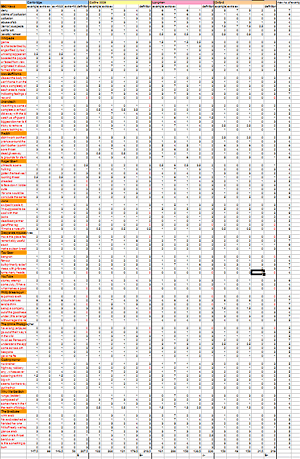
Example sentences and definitions
In order to evaluate the quality of examples and definitions in all the dictionaries more objectively, I simulated the way an English learner uses a dictionary in real life:
- I made a list of 15 real sources of written and spoken English content: BBC News (news website), Wikipedia, HowStuffWorks (education/technology site), Anandtech (computer hardware site), Reddit, RogerEbert.com (movie reviews), Juno (a movie), Desperate Housewives (TV series), Top Gear (TV show about cars), YouTube, Philip Greenspun’s Weblog, The Online Photographer (photography blog), Coding Horror (programming blog), Why We Get Sick (a pop-science book), The Graduate (a novel).
- I spent 5 minutes reading or watching each source, writing down every English word or phrase that would be interesting to an English learner. In 75 minutes, I managed to write down about 290 words/phrases like sales breakdown, facade or turn up somewhere.
- I whittled down the list to 97 words (1/3 of the original list). I made sure to leave words that were useful for building one’s own sentences (words that I would want to add to my SRS collection).
-
I looked up each word/phrase in each of the dictionaries, taking note of the following:
- The number of example sentences in the entry. (Sometimes there was a short example phrase instead of a full sentence. I counted these phrases as 1/2 or 1/3 of a sentence.)
- The number of additional examples in a separate section called “Wordbank”, “Extra Examples” or similar.
- The quality of the definition on a scale from 0 (no definition in the dictionary) to 3 (very good definition).
Sometimes a dictionary would give a great number of example sentences for a word that doesn’t need a lot of examples. For example, you don’t need more than 4 examples to learn to use phrases like sore throat or angst-filled lyrics. These relatively useless examples would add to the total number of example sentences in my test, making the dictionary seem better than it really is. To avoid this effect, for each word, I set a limit (between 4 and 7) on the number of example sentences that I would count. If a dictionary had more examples than the limit, I did not count the extra examples.
Phonetic transcriptions
I checked the dictionaries against a list of 38 specific issues, for example:
- Does the dictionary give two pronunciations of employee or only one?
- Does the dictionary show both the British and American pronunciation of new?
- Does the dictionary list all the weak (unstressed) forms of the word him?
Coverage of American English
Here, I used a list of 50 questions (38 phonetic, 12 vocabulary/usage), such as:
- Does the dictionary correctly list gotten as the American past participle of get?
- Does the dictionary list the American pronunciation of hover?
- Does the dictionary list the American pronunciation of buffet?
- Does the dictionary list the structure to write somebody and identify it as an Americanism?
Recordings
I looked up 18 “tricky” words (words with a difficult pronunciation or with many possible pronunciations). I checked the following things:
- Does the dictionary show which transcription is pronounced in the recording? If so, does the recording match this transcription?
- Does the speaker pronounce the word clearly?
- Is the technical quality good (no noise, no compression artifacts)?
- Are there additional recordings for word forms (-s, -ed) or for example sentences?
I evaluated British and American recordings separately.
Grading system
- A – excellent
- B – good
- C – average
- D – poor
- F – failure
The comparison
| Cambridge 3 | Collins 5 | Longman 5 | Oxford 7 | Collins 6 | |
|---|---|---|---|---|---|
| CONTENT | |||||
| Example sentences |
B-
|
B+
|
A-
|
B-
|
C
|
| Definitions |
B
|
B+
|
A-
|
B+
|
B+
|
| Phonetic transcriptions |
C
|
C-
|
A-
|
B
|
F
|
| Coverage of American English | D
|
C-
|
B
|
C+
|
F
|
| Cambridge 3 | Collins 5 | Longman 5 | Oxford 7 | Collins 6 | |
| Recordings (British / American) |
B-/B-
|
A-/F
|
A-/A-
|
B+/C
|
C/F
|
| Additional content |
B-
|
D
|
A
|
B
|
D
|
| Cambridge 3 | Collins 5 | Longman 5 | Oxford 7 | Collins 6 | |
| SOFTWARE | |||||
| User friendliness |
C+
|
B
|
C
|
D
|
F
|
| Cambridge 3 | Collins 5 | Longman 5 | Oxford 7 | Collins 6 | |
| Responsiveness |
A-
|
A
|
C-
|
C+
|
F
|
| Search engine |
A-
|
C
|
C+
|
B+
|
F
|
| Cambridge 3 | Collins 5 | Longman 5 | Oxford 7 | Collins 6 | |
| Layout |
B
|
B
|
C+
|
C
|
B
|
Summary
| Cambridge 3 | Collins 5 | Longman 5 | Oxford 7 | Collins 6 | |
|---|---|---|---|---|---|
CONTENT
For learners primarily interested in BrE/AmE, respectively |
B-/C+
|
B/C+
|
A-/A-
|
B/B-
|
D/F
|
| SOFTWARE |
B
|
B
|
C
|
C
|
F
|
| Summary |
|
|
|
|
|
| Buy online |
|
|
|
|
|
As you see, there is no clear winner – no dictionary that would be best (or even close to best) in all the categories. That said, here are a few thoughts:
- If you are learning American pronunciation, you should probably verify the pronunciations of words in an American dictionary like the online Merriam-Webster Dictionary. The information on AmE in British dictionaries cannot be fully trusted (the LDOCE is the most trustworthy).
- If you are focused on AmE and you want to use just one dictionary, the only good choice is the Longman Dictionary of Contemporary English.
- It is difficult to recommend the best dictionary for everyone. The Longman has the richest, most helpful content, but its software interface is an obstacle. On the other hand, the Cambridge and the Collins (5th edition) are the most pleasant to use. You could choose the Longman’s great content and put up with its annoyances, or you could decide that efficiency and convenience are more important. The decision will depend on your specific needs and your tolerance for bad software.
- Added Oct 2010: After a year, I have decided the LDOCE is too painful to use.
- Added May 2012: Taku Fukada has developed an excellent viewer app for the Longman Dictionary of Contemporary English, currently available for free! It lets you access all of the LDOCE’s great content (including recordings and the Activator thesaurus). The app is super-fast, very user-friendly, and has an awesome search engine. It also solves all the software problems that I described in this review. I’ve been using this software for two months and I still can’t believe how good it is. LDOCE + Taku’s viewer is a killer combination of excellent dictionary content and brilliant software. If you are serious about learning English, you should get it — it will make you want to look up more words and learn more English.